Showing posts with label Panoramas. Show all posts

Wednesday, 28 September 2011

Stages of a Panorama

I will do this in more detail, but here's a quick illustration of how I construct a Panorama.


Nikon D7000 16-85mm zoom lens

Tuesday, 27 September 2011

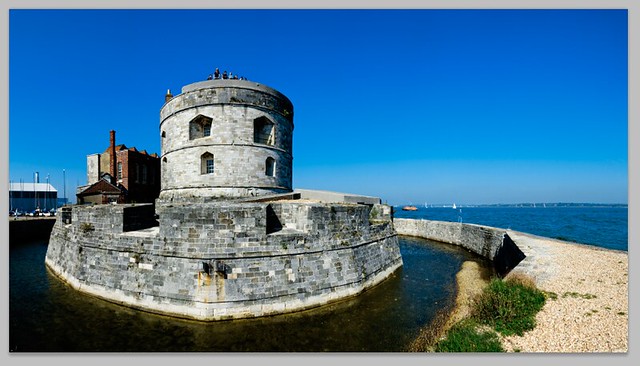
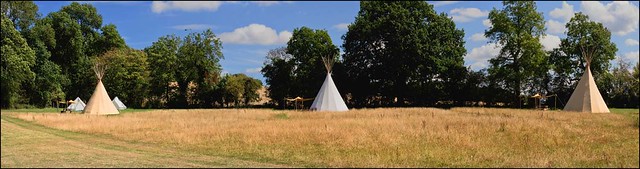
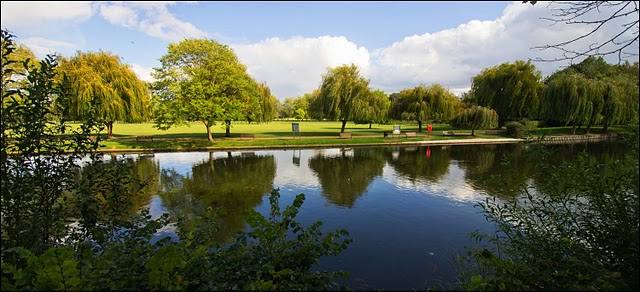
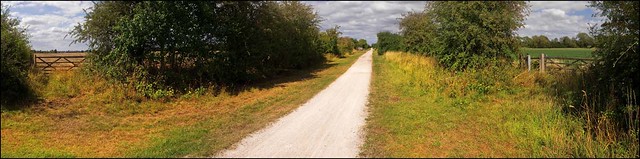
Some recent panoramas

Olympus E-P3 14-150mm lens

Sony NEX-C3 Nikon 10-24mm zoom

Olympus E-PL1 Nikon 24mm f/2.8

Olympus E-PL1 14-150mm zoom lens

Nikon D7000 55-300mm zoom lens

Tuesday, 29 March 2011

Misty Panorama

Panasonic GH1 PanLeica D 14-150mm


An early morning panorama from last autumn I just got round to editing.
Panasonic GH1 PanLeica 14-150mm zoom

Sunday, 5 December 2010

Sony A55 Sweep Panorama

Sony A55 18-55mm Kit Lens Sweep Panorama


An afternoon by the River Avon in Warwick using the Sony A55 produced this remarkable panorama using the sweep panorama function. As I was taking it a flock of birds took off and it wasn't until I got home and looked at the file that I saw this.


Sony A55 18-55mm Kit Lens Sweep Panorama


The stitching at high speed from around 10 shots is amazingly good. Its almost flawless. I did have to clone out a couple of the birds as they didn't turn out right but the stitching software has done an amazing job and I can't think of any other camera that could have produced this. The image is a fiction as its the same birds photographed several times in different positions. I had no idea at the time that this was happening and its turned out to be a great photograph. 


I also shot a video, hand held again which is remarkably stable and looks like it was mostly done using a tripod. I will upload it to YouTube and it should appear tomorrow.


The A55 does make things possible for me that weren't possible before and the more I use it, the more I like it. 


Sony A55 18-55mm Kit Lens Sweep Panorama


Sony A55 18-55mm Kit Lens Sweep Panorama

Sunday, 28 November 2010

Video Diary - EOSHD & GH2- A55 Panoramas - Cameras to keep

VIDEO DIARY


As from today I'm going to start a Video Diary. Its always something I've wanted to do and is intended for me to shoot more video and get better at it! What's always put me off is having to lug tripods around. Since I have problems carrying heavy gear around this would hardly help my back, but since the Sony A55 is useable hand held I should be able to do this more often.


This first one is from yesterday. It was sub-zero, -2 Celsius, with a strong windchill factor. Very cold and I had trouble getting my hands to work. I shot a few panoramas, of which more later, and a couple of bits of video. The following is a combination of (mainly) stills and video.


EOSHD


Firstly the EOSHD site is a very good one for those interested in DSLR and m4/3 video. The comparison between the Panasonic GH2 and Canon 60D at http://www.eoshd.com/content/459-First-look-Panasonic-GH2-versus-Canon-60D is fascinating. Two bits I particularly enjoyed. 
"Sadly, it seems November 2010 is to be the month Canon lose the DSLR video image quality fight to Panasonic."
"It presents a particular dilemma for those recent buyers of the 550D, 7D or 60D and also for me. I don't want to cover only the GH2 on a site branded after the EOS but Canon is making the task a little difficult when their products are now so far behind."


See, its not just me!


PANORAMAS FROM THE SONY A55


Sony A55 Sweep Panorama


I was asked if the sweep panorama function is good enough for "professional" use. The short and simple answer is yes. The stitching and perspective control is excellent and only falls down in the same way that other stitching software does. There is occasionally a need for some tweaking in Photoshop but mostly it does a good job. 


The finished panorama result is a jpg. I imagine it would be very difficult if not impossible to produce a raw file from this. 


You can choose between a wide setting (called normal) which produces a 43MB file and a super-wide setting (called wide) which produces a 65MB file. Whether you fill these preset shapes depends on how quickly and how far you move the camera. It does take practice and I won't claim to have worked it out fully yet. 


It also does some trimming, removing any unused space, so I've found that I have to shoot wider. If I crop in tightly I loose both the top and bottom. 


Aperture and shutter speed are automatic, so its advisable to select an ISO setting that will allow a narrow aperture and high shutter speed. In many cases after a first attempt I will make some adjustments, and shoot again. 


The exposure is usually spot on. As soon as you press down the shutter button and hold it down the exposure and focus is locked, so its advisable to work out which part of the image has the correct focus and exposure for the whole thing.


Sony A55 Sweep Panoramas


Sony A55 Sweep Panoramas


Once I get really comfortable with this I will post again with more information.


It is great fun and very addictive! It does save me an awful lot of work. One of the reasons I'm always behind in my editing is the time taken stitching together panoramas. Obviously if I want to produce a very high resolution panorama (100+MB) I would shoot in the conventional way of taking multi-images and using Photomerge in Photoshop or PTGui, but for many panoramic uses, such as websites or top and bottom of page use these A55 panos are fine.
More on this later.


CAMERAS TO KEEP


cameras


I always have such good intentions, getting the cameras I own down to reasonable numbers. But then I look at them, and handle them and in the end can't bear to part with them. I had no problem with the Canons, I couldn't wait to get them packed and off to the  Post Office, but the E-P2, X1 and GF1 are going to be a little more difficult to get out the door. 


There must be a term for this. Cameraholic? Photo Equipment Rationalisation Challenged? I should probably start Camera Junkies Anonymous, where we can all sit around and share how we send our children to school with holes in their shoes because we have to have that f1.2 lens. And how we lie to everyone we know claiming that we really need that new camera, and yes we've sold the others to pay for it, when in reality we've just hidden them. I haven't quite got to the state of having stashes of cameras around the house, that I secretly get out and take a few shots with and then squirrel away again, but as a self-admitted pixelhead (thats the term I'm looking for!) I realise that my attitude to photographic gear and common sense are someway apart. 


As yet I don't need to sell my family or their (or my) organs to buy identical sets of silver and black lenses to match my silver and black versions of the same camera so I don't really have a problem.


I can handle it.


Words - D
Images - D & A


Thursday, 16 September 2010

HDR?

PANASONIC GH1 LEICA D VARIO-ELMAR 14-150mm F/3.5-5.6

Reading a copy of a photographic magazine I subscribe to, it had almost the whole issue devoted to HDR images. I've always been somewhat underwhelmed by HDR. Firstly because it looks unnatural, and secondly because I think many of the results can be obtained by working in Photoshop.


The top shot is from a Panasonic GH1 fitted with Leica Panasonic 14-150mm f/3.5-5.6 zoom and is a panoramic stitch from 7 separate images. It required a bit of darkening of the sky and lightening of the foreground. Nothing more.


The following are two Leica X1 shots.


The first is the out of camera jpg.


Leica X1


The second is the same file converted from raw and worked on in Photoshop.


Leica X1


Pretty much how it appeared in reality.


Neither shot was complicated to to achieve. There may well be pictures where HDR works well, but I haven't really seen that many. 


Words - D
Images - D & A

Friday, 4 June 2010

More "wide angle over saturated pictures of the countryside"

Especially for one of our "fans" who sent us the comment - "Nice pics - bit samey though - wide angle over saturated shots of the countryside" !!!!

Well its a living!

So just for "Anonymous" heres more of the same.


UPDATE

Response from (presumably) the same "anonymous"
"You need a better blog system --- rescaled pics looks horrible here. By the way, some photos here looks improperly cropped too---I mean good crop won't make people aware of the cropping. Some of them are redundant. The biggest problem is that I can't feel emotions in the photos you posted. Maybe you do that on purpose."

Improperly cropped?? Redundant?? "Can't feel emotions??
Do people have any realisation of the incomprehensible drivel they write. We just usually consign this rubbish to the bin, but enough is enough.
To Mr. Anonymous - If you don't like what you see here then there is a simple solution. GO AWAY!

UPDATE 2

Well "Anonymous" didn't go away.

"Comments is always zero. I don't see there are too many fans here.
Top-notch gears, average photos, bravo pro!"

Persistent little devil isn't he/she? Seems to have a masochistic bent also, having to tolerate such average photos. Is that an improvement on "wide angle over saturated shots of the countryside"?


Images, righteous indignation and now bemused - D & A

Saturday, 8 May 2010

Samsung NX10 Photoshop CS5 iMac i7 Technology driven images

There have been many posts here about creating Panoramas using panoramic stitching software such as photomerge in Photoshop or PTGui. One of the advantages of stitching using multi images is to produce very high definition files with a high pixel count suitable for large scale reproduction. Doing this means that you don't necessarily need to use a camera with a lot of MP.

Samsung NX10 30mm f2 pancake lens

The disadvantage of doing this has been the time taken to produce these images. Anyone who has done it will realise that the software needs to analyse and then warp and blend the images into a seamless whole. There is often touch up work to be done later plus cropping and usually further warping and scaling to produce a final image. This often means anything up to a 1000% increase in the time needed to produce one finished picture.

Samsung NX10 30mm f2 pancake lens

During the recent excursion along the River Avon we decided to take a lot of images for the specific purpose of stitching them together later. Since the trip was unplanned we only had the Samsung NX10 plus the 30mm f2 lens with us. We duly produced about 150 files which when combined would provide the raw material for 18 "stitched" images.

Samsung NX10 30mm f2 pancake lens

Since the iMac i7's arrival we had tried creating a few "stiched" images using photomerge & we were impressed by the increase in speed. Also using Photoshop CS5 we had noticed that Adobe have tweaked the software again & there is a marked improvement in its ability to produce wide panoramic images.

However this time we decided to use PTGui. This is very good, simple to use software which we would highly recommend. One particular advantage that this software has is the ability to batch process. We consequently used this to process our River Avon images.

PTGui is fast working software and it has recently been optimised to process even faster. However we weren't quite prepared for the extraordinary performance that it produced on the new iMac. It was actually producing finished Panoramas in seconds. The 18 Panoramic stitches were created in around under 1/2 hour. Thats less than 2 minutes each! This was using jpgs rather than raw files and the 8 rather than 16-bit option. However we find that neither working from raw files or using 16-bit produces better images anyway. The files were then ready for editing in Photoshop. Again the work time was much reduced. The iMacs quad cores speed everything up and Adobe have done a good job in optimising this version of Photoshop to achieve significantly better performance. We had noticed improved speed over CS4 on our old iMac. A nice change to use upgraded software and find that it works faster. The usual equation of upgrading your computer to get better performance & then finding that once you upgrade your software the manufacturers have added so much that you are back where you were before doesn't apply here.

So overall an illuminating exercise. Shooting multi-image stitched panoramas is now not the chore it once was. There has been some reluctance on our part to shoot many recently because of the work load involved. The improvements in both processors and software, that we are now able to take advantage of, has made creating these stitched images a pleasure again.

Samsung NX10 30mm f2 pancake lensa

Saturday, 1 May 2010

The camera never lies!!! - Photoshop CS5

A couple of examples using the new content aware fill from Photoshop CS5.


This is quite remarkable technology. Areas of sea are notoriously difficult to work with using clone and pattern tools. This new tool makes it possible to seamlessly remove unwanted elements from an image easily and quickly.

Below is a Panoramic image created from 6 separate images. As is usual the finished stitched panorama has uneven edges and would usually require a lot of warping and distorting or cropping to get it looking right. Now by selecting the white outer areas and applying the content aware fill, the blank areas are filled in. It takes more editing to get rid of some edges but again it produces a seamless result.


Photoshop CS5 Extended is available as a fully working 4-week trial from:-


Monday, 22 March 2010

Leica M9 and Panasonic GF1 panoramas

leica M9 voigtlander 35mm f1.7 heliar

Yesterday I went out to the Welcombe Hills near Stratford upon Avon. I took the M9 with voigtlander 35mm f1.7 and 75mm f2.5 lenses. I also took my Panasonic GF1 as a "teleconverter" for the 75mm lens.
Leica users will be well aware that the "limit" for telephoto options is 135mm. If you need something longer then the alternative is to either crop the image, or use another camera. Knowing the area I realised I would need a longer lens than a 75mm, my current upper limit for the Leica, so decided to try the GF1 to give me an 150mm (35mm equivalent)

leica M9 voigtlander 35mm f1.7 heliar

While the results were fine, using the GF1 with the 75mm lens made me realise just how bad the GF1 bolt on electronic viewfinder is. Since the weather was fine and sunny I was using the lens on F8 most of the day. Even with the magnification of the manual focus assist I was unable to focus the lens accurately unless I opened up the aperture to f2.5, focused and then moved the aperture ring back again. A fiddly, slow process. In this respect I miss the Olympus E-P2 with its excellent EVF. However the amount of button pushing that is involved in using the E-P2 for manual focus cancels out the EVF advantage and results in a slow fiddly process also.

panasonic lumix GF1 Voigtlander 75mm f2.5 heliar novoflex adapter

The Leica/GF1 combination is one I like in terms of weight, but find difficult in terms of use. I have more alternatives that I'm going to try. One is to use the GH1 instead of the GF1. Another is to use the Samsung NX10 fitted with the 50-200 zoom, though this is a heavier option. I've toyed with the option of getting a longer lens for the Leica. The 135mm alternatives are heavy and large however.
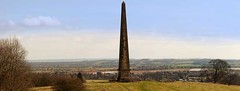
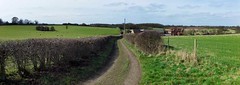
Words and Pictures - D

leica M9 voigtlander 35mm f1.7 heliar

leica M9 voigtlander 35mm f1.7 heliar

panasonic lumix GF1 Voigtlander 75mm f2.5 heliar novoflex adapter2

panasonic lumix GF1 Voigtlander 75mm f2.5 heliar novoflex adapter