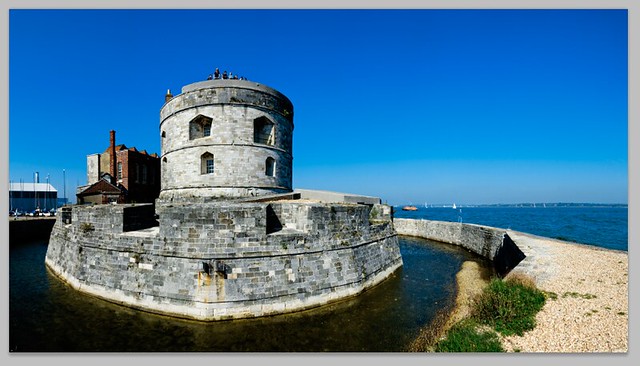
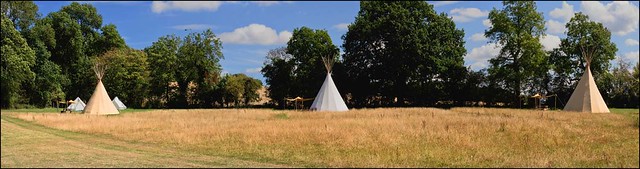
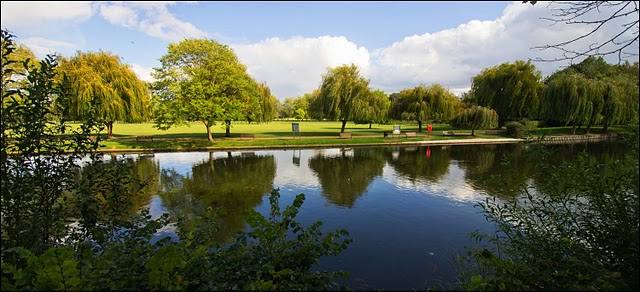
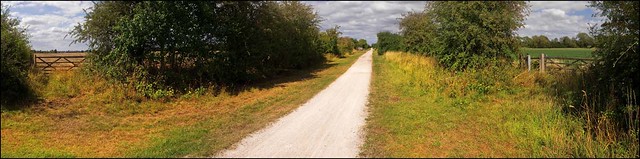
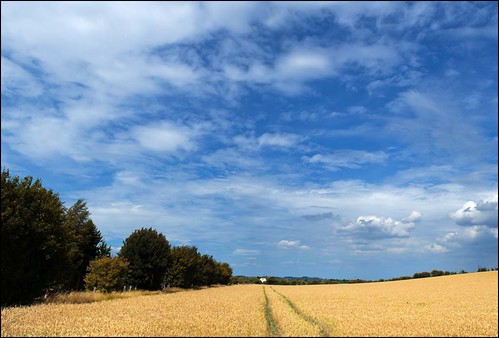
All images - Sony a77, 30mm f/2.8 Macro, Multi images stitched together using photomerge in Photoshop. All original files, when edited are in excess of 100MB. Who needs a Nikon D800!?
Showing posts with label Panoramic Stitching. Show all posts
Wednesday, 14 December 2011
Saturday, 26 November 2011
My m4/3 dilemma
Olympus E-P3 45mm f/1.8
I'm still undecided as to what to do with my m4/3 gear. Yesterday I took out my Olympus E-P3 plus 12mm and 45mm lenses and both enjoyed the experience and got some useful pictures. I was shooting multi images, which I later stitched together using photomerge in Photoshop. This produced high quality, high resolution files.
Olympus E-P3 45mm f/1.8
Olympus E-P3 12mm f/2
Olympus E-P3 45mm f/1.8
However there's nothing here that can't be done using my Sony gear, and in many cases that gear can do the job easier, better and quicker, without increasing the weight I carry around.
Because of the improvements in the NEX-5n, from what went before, and because of what that camera offers in terms of image quality, dynamic range, high ISO performance, viewfinder, speed of operation etc. I'm finding it hard to justify using my Olympus and Panasonic cameras. The a77 with two prime lenses is also a very light outfit and that offers me 24MP, incredibly fast operation, built in spirit level etc.
Despite all this, I still love my E-P3 and have definitely got a yearning for the GX1. This is all well and good, and I never feel guilty about owning cameras. However I really don't like having cameras sitting on the shelf collecting dust and not being used. This is certainly the case with my Panasonic G3, and I don't want to see the same thing happening with a GX1. A burst of using it when it first arrives, followed by it just sitting there.
Because my two Sony cameras cover everything I need and want, the situation has changed from when my choice was between a heavy DSLR or m4/3. When the NEX-7 finally becomes available, offerering all those a77 MP's in a smaller lighter package, I can't really see myself using much else. The NEX-5n already does everything that a camera like the Nikon D7000 did for me. Its an extraordinary thing to write to think that such a small camera can do that, but then I never used the D7000 to its limit anyway. From the video I posted yesterday, you'll get some idea of how I work, and indeed that is how I use my cameras the majority of the time. I'm also convinced that the NEX-5n would handle any event or commercial work that turns up as well, I've tested it a similar situation and its fast, responsive and produces great images.
And yet I still love using the E-P3. And yes I love using it for more than its looks! Provided I use AF lenses (apart from the clicking 25mm f/1.4) and avoid fiddling about with manual focus, it works great. The new AF is a real improvement and the 12mm and 45mm are superb high quality lenses that are a joy to use. I can get high resolution and satisfactory file size, though I do have to do that by stitching images together, and they have great colour and sharpness. Its a bit more work, using the stitch programme and cleaning up the luminance noise from blue skies, but not that much, so if m4/3 was my only alternative I could live with it quite easily.
I really don't know how this will end up. Usually I decide these things on impulse, so don't be surprised if at some point I announce I have sold all my m4/3 gear. But then don't be surprised if I announce I've sold all my Sony gear either!
Wednesday, 28 September 2011
Tuesday, 27 September 2011
Some recent panoramas
Olympus E-P3 14-150mm lens
Sony NEX-C3 Nikon 10-24mm zoom
Olympus E-PL1 Nikon 24mm f/2.8
Olympus E-PL1 14-150mm zoom lens
Nikon D7000 55-300mm zoom lens
Saturday, 16 July 2011
More Nikon D7000 high-resolution multi-image stitches
Nikon D7000 24mm f/2.8D - three images combined in Photomerge/Photoshop to produce 87.5MB file
Nikon D7000 24mm f/2.8D - three images combined in Photomerge/Photoshop to produce 99MB file
Nikon D7000 24mm f/2.8D - three images combined in Photomerge/Photoshop to produce 73MB file
Nikon D7000 24mm f/2.8D - three images combined in Photomerge/Photoshop to produce 69MB file
Nikon D7000 24mm f/2.8D - three images combined in Photomerge/Photoshop to produce 87MB file
Nikon D7000 85mm f/1.8D - three images combined in Photomerge/Photoshop to produce 75MB file
Tuesday, 29 March 2011
Misty Panorama
Sunday, 5 December 2010
Sony A55 Sweep Panorama

An afternoon by the River Avon in Warwick using the Sony A55 produced this remarkable panorama using the sweep panorama function. As I was taking it a flock of birds took off and it wasn't until I got home and looked at the file that I saw this.

The stitching at high speed from around 10 shots is amazingly good. Its almost flawless. I did have to clone out a couple of the birds as they didn't turn out right but the stitching software has done an amazing job and I can't think of any other camera that could have produced this. The image is a fiction as its the same birds photographed several times in different positions. I had no idea at the time that this was happening and its turned out to be a great photograph.
I also shot a video, hand held again which is remarkably stable and looks like it was mostly done using a tripod. I will upload it to YouTube and it should appear tomorrow.
The A55 does make things possible for me that weren't possible before and the more I use it, the more I like it.

Thursday, 16 September 2010
HDR?

Reading a copy of a photographic magazine I subscribe to, it had almost the whole issue devoted to HDR images. I've always been somewhat underwhelmed by HDR. Firstly because it looks unnatural, and secondly because I think many of the results can be obtained by working in Photoshop.
The top shot is from a Panasonic GH1 fitted with Leica Panasonic 14-150mm f/3.5-5.6 zoom and is a panoramic stitch from 7 separate images. It required a bit of darkening of the sky and lightening of the foreground. Nothing more.
The following are two Leica X1 shots.
The first is the out of camera jpg.

The second is the same file converted from raw and worked on in Photoshop.

Pretty much how it appeared in reality.
Neither shot was complicated to to achieve. There may well be pictures where HDR works well, but I haven't really seen that many.
Words - D
Images - D & A
Thursday, 9 September 2010
Photographing landscape icons

Location - Durdle Door Dorset
Equipment - Panasonic GH1
Leica Vario-Elmar 14-150mm f3.5-5.6 Zoom lens
Multi-Image panoramic stitch
Many UK photographers will know where this is. It is a much photographed landmark on the UK coast. Its something I photographed many years ago & I wanted to re-visit it to take some up to date shots. Some people think it difficult to photograph these landscape icons and think that they have to come up with something new. But there's no real need for that. Every shot will look different anyway, clouds etc will never be the same. I always tend to avoid looking at how other photographers have approached a location and just take the pictures I want to take.
The top shot is a multi-image panorama. Interestingly in terms of the previous post and some of the criticisms of m4/3 in terms of dynamic range, this has been handled very well. I can't say for sure but the GH1 sensor does seem to handle this better than other m4/3 cameras which is good news for the ??GH2.

Location - Durdle Door Dorset
Equipment - Panasonic GH1
Leica Vario-Elmar 14-150mm f3.5-5.6 Zoom lens
The above shot is what looks like a memorial, though its not marked, the flowers are certainly not wild. These cliffs are certainly very dangerous and several people fall off and die every year.
Location - Durdle Door Dorset
Equipment - Panasonic GH1
Leica Vario-Elmar 14-150mm f3.5-5.6 Zoom lens
There was a wedding shoot happening on the beach, using the rock arch as a background. It was a fashion shoot with models and not a bride and groom taken to a scenic location after a wedding. Anyone who's visited Durdle Door knows exactly how hard it is to get to the beach. They will also know how difficult it is to get back to the car park. I saw them later arriving back at the top, pulling trolley cases full of clothes, make-up and camera equipment and they all looked absolutely exhausted. I can only hope that they were all well paid!
Earlier in the day I had been to those other heavily visited parts of the Dorset coast, Stair Hole and Lulworth Cove. For these images I chose to shoot multi image panoramic stitches on the Leica M9. This resulted in 150MB+ images of incredible quality. Capable of being printed the size of a barn door I imagine.
Location - Lulworth Cove Dorset
Equipment - Leica M9 Zeiss 50mm f/2 Planar
Multi-Image panoramic stitch
Location - Stair Hole Dorset
Equipment - Leica M9 Zeiss 50mm f/2 Planar
Multi-Image panoramic stitch
So nothing fancy, no odd angles, no filters, just the pictures I wanted to take. I always try to approach these places as if I'm the first person to ever photograph them. Its simpler that way and I was certainly happy with what I got. We can all try too hard sometimes to come up with something different, instead of just relying on our own instincts. Photography shouldn't be competitive, though it often is. However I've long since given up worrying about coming up with "THE photograph" and just concentrate on taking pictures that give me pleasure to look at. I generally find thats a good start in producing pictures that might give others pleasure too.
Words - D
Images - D & A
Friday, 6 August 2010
50mm = 3 lenses??
A 50mm standard lens on a Leica M9 can be very versatile.
By taking a series of images

and combining them in software

a wide angle view is obtained.


This can be done in such a way that gives no clue to the fact that a combination of images have been used to create the final picture.
An advantage of this method is that some of the distortions present in wide-angle lenses are avoided.
It also creates a very high resolution file. In both the examples above files of 100MB + were created.
Because of the quality of the M9 sensor and the 50mm Zeiss Planar f2 lens used here it is also possible to crop images while still retaining very good image quality.

Using one lens, and in particular a 50mm standard lens on the M9 is not as restrictive as it may seem at first.
Words and Images - A
By taking a series of images

and combining them in software

a wide angle view is obtained.


This can be done in such a way that gives no clue to the fact that a combination of images have been used to create the final picture.
An advantage of this method is that some of the distortions present in wide-angle lenses are avoided.
It also creates a very high resolution file. In both the examples above files of 100MB + were created.
Because of the quality of the M9 sensor and the 50mm Zeiss Planar f2 lens used here it is also possible to crop images while still retaining very good image quality.

Using one lens, and in particular a 50mm standard lens on the M9 is not as restrictive as it may seem at first.
Words and Images - A
Wednesday, 23 June 2010
Subscribe to:
Posts (Atom)